



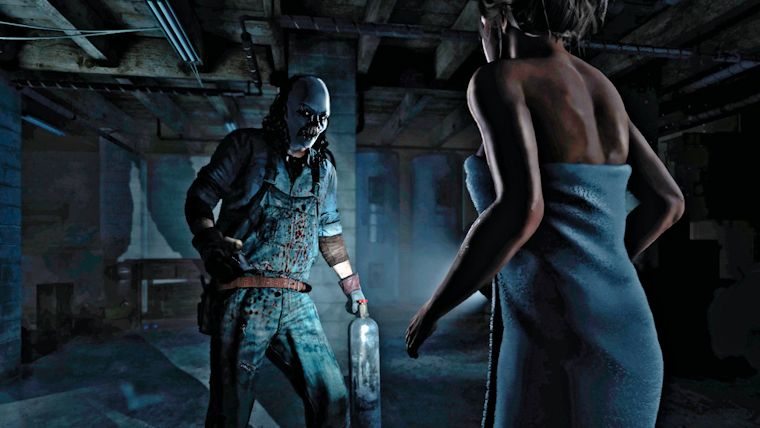

Until Dawn released yesterday exclusively for PlayStation 4 as a rather unique horror gaming experience. We quite liked the game ourselves, which you can check out in our review, but since its release, many gamers who purchased the game digitally have had a major issue that has prevented them from playing at all.
The problem that has arisen involves the launching of the game itself. Multiple PS4 owners reported that after downloading the full game of Until Dawn onto their console, they tried to boot it and were given a message that told them they had 128 days until the game was available.
The PlayStation Forums were filled with people complaining about this problem, but luckily PlayStation Support has weighed in with a possible workaround to help out those who purchased the game already, until a full fix can be provided.
PlayStation support says to start off by navigating to Until Dawn on the PlayStation Store and choosing to download the free version of Until Dawn that will be there. If you’ve already done this prior, you can just download something else free in the store, with them recommending SingStar.
After the file is completely downloaded to your system, go to Settings, then PlayStation Network/Account Management, and then Restore Licenses. After restoring the licenses, try to boot up the game. If it still doesn’t work, delete the file, re-download it, and restore licenses again.
This fix has gotten mixed results, with multiple saying it works, some saying it didn’t, and others getting it to work after numerous times attempting it. If you are having problems, it wouldn’t hurt to try this, but hopefully a full fix will be released soon.





Published: Aug 26, 2015 05:03 am