



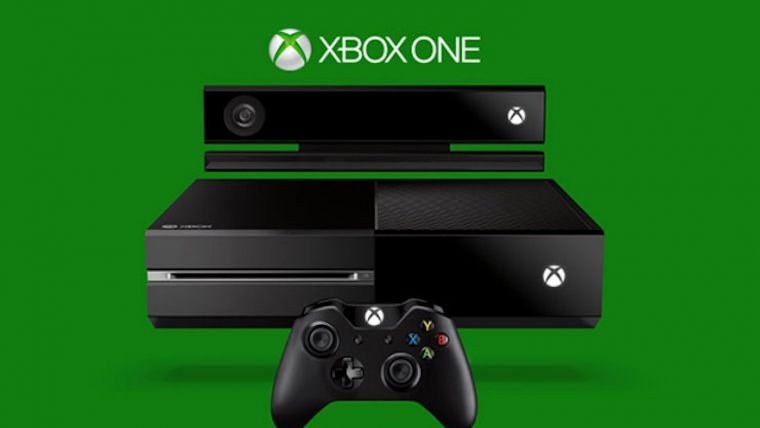

Microsoft’s official Xbox Support Twitter account has announced that all issues related to Xbox Live Friends Lists have been fixed at this time. As we previously reported, the Friends List feature on Xbox One and Xbox 360 was having problems a few days ago. Users who tried to access the feature would be greeted with a message saying “We can’t show your friends right now.” While this problem is fixed on Microsoft’s side, they mention that users might have to do some additional work if they are still experiencing the problem.
Friends list is back! Xbox 360 users may need to clear cache or power cycle on Xbox One
Gamers on Xbox 360 who are still getting the error while accessing their friends will need to clear their cache. To do this, simply follow these directions:
- Press the Guide button and go to Settings
- Select System Settings
- Select either Storage or Memory
- Highlight your storage device and press Y
- Select Clear System Cache
- When asked to confirm storage device maintenance, choose Yes
You will want to repeat this process for all storage devices used by your Xbox 360 to be sure you have fixed the problem.
Xbox One gamers also have an additional task, although it is simpler than the process for Xbox 360. All that they will have to do is completely power cycle their Xbox One (not put it into standby). Selecting “Turn Off Console” or saying “Xbox Turn Off” won’t cut it here. The only way to totally shut down the Xbox One is to hold the power button down on the front of the console for ten seconds. Once the ten seconds pass you can power the system back up and you should be able to access your Friends List once again.
While outages have been rare for Xbox it is a little disconcerting that users have to go through this extra step. Hopefully problems in the future can be handled by a normal fix. Perhaps this is just a precaution though and most users already had their problem solved for them.




Published: Oct 14, 2014 07:15 am