



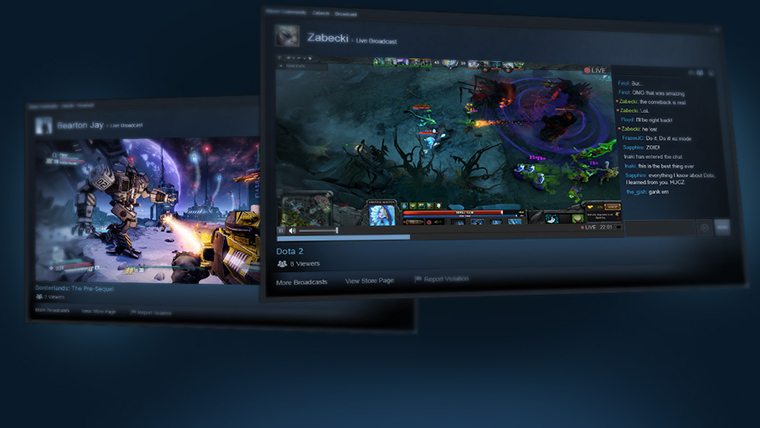

Valve is rolling out a new feature to Steam, which allows users to broadcast their gameplay. Steam Broadcasting, which is currently in beta, allows Steam users to watch their friends “with the click of a button.”
Valve’s announcement markets the feature as “designed for ease of use, allowing anyone to view a friend’s game by simply clicking on “Watch Game” on their Friend’s profile or Friend’s List to open a window into their gameplay.” There’s also no game ownership, special fees, or additional apps required to use the feature as it’s built into the Steam interface.
The Steam Broadcasting beta is open to everyone who opts in to the Steam Client Beta, though Valve notes that bandwidth may be limited during the beta period. A new page on the Steam Community site details all the features of Steam Broadcasting here.
Is Valve looking to make a run at Twitch? Right now, there’s no archiving features and users can only watch live broadcasts. Steam Streamers will have the option of broadcasting their desktop, and Valve has already laid some groundwork when it comes to rules of what can and can not be streamed. Pornographic Material, Discussions on hacking, piracy, threats, and violence are all unwelcome streaming content.
Interested parties can opt-in to the Beta by updating their beta preferences in the Steam Client. To do so, Open Steam, Open the Steam dropdown menu, click Settings, enable Beta Participation and then enroll for the Steam Beta Update.









Published: Dec 2, 2014 01:26 pm